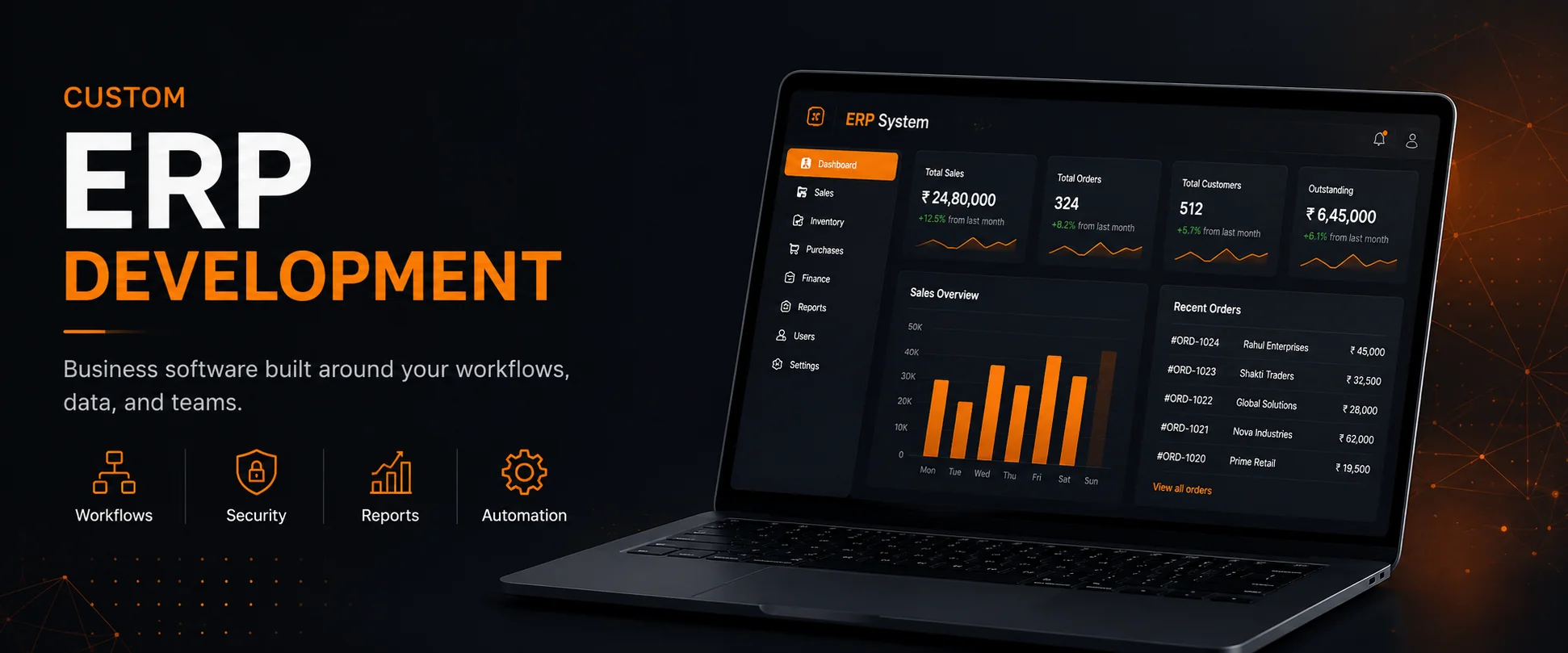
Custom ERP Development: How to Build Business Software Around Real Workflows
Most businesses do not actually have a “software problem.”
They have a workflow problem.
Orders are managed in spreadsheets. Approvals happen over WhatsApp or email. Different teams maintain separate files. Reports are prepared manually. Important information is scattered across multiple tools.
As a business grows, these small inefficiencies become expensive.
This is where a custom ERP system can make a real difference.
A well-designed ERP is not simply a collection of dashboards and forms. It should represent the way a business actually works — its processes, teams, permissions, data, approvals, reports, and automation.
In this article, I’ll explain how I approach custom ERP development and what I believe makes an ERP system reliable, maintainable, and useful in the real world.
What Is Custom ERP Development?
Enterprise Resource Planning (ERP) software brings different business operations into a centralized system.
A custom ERP goes one step further: instead of forcing the business to adapt to a predefined workflow, the software is designed around the business's actual requirements.
Depending on the organization, a custom ERP may include:
- Sales and order management
- Inventory and stock management
- Purchasing and procurement
- Customer management
- Employee and team management
- Finance and invoicing
- Reports and analytics
- Approval workflows
- Document management
- Notifications
- Business automation
- Role-based dashboards
- Third-party integrations
The important part is not how many modules the ERP contains.
The important part is how well those modules work together.
Why Businesses Outgrow Spreadsheets and Multiple Tools
Spreadsheets are useful, but they become difficult to manage when multiple people and departments depend on the same information.
A typical growing business might have:
Sales → Excel
Inventory → Another Excel file
Accounts → Accounting software
Attendance → Separate application
Approvals → WhatsApp
Reports → Manually prepared
Each tool may work independently, but the overall workflow becomes fragmented.
This creates common problems:
- Duplicate data entry
- Human errors
- Outdated information
- Poor visibility across departments
- Difficult reporting
- Manual follow-ups
- Weak access control
- Time wasted moving data between systems
A custom ERP can bring these processes into a single connected system.
Start With the Workflow, Not the Screens
One of the biggest mistakes in ERP development is starting with UI screens before understanding the actual business process.
I prefer to start with questions such as:
How does an order enter the business?
Who reviews it?
Who approves it?
What happens after approval?
Which department needs the information?
Which records are created automatically?
Which actions require permission?
What should happen when something goes wrong?
For example, a simple sales workflow might look like:
Lead → Quotation → Approval → Order → Inventory → Invoice → Payment → Report
Each stage has its own data, users, rules, and possible actions.
The ERP should model this workflow clearly instead of simply creating a collection of unrelated CRUD screens.
Convert Business Processes Into Modules
Once the workflows are understood, they can be broken down into logical modules.
For example:
Sales
Manage leads, customers, quotations, orders, and follow-ups.
Inventory
Track products, stock levels, warehouses, movements, purchases, and adjustments.
Finance
Manage invoices, payments, expenses, outstanding balances, and financial reports.
Users & Permissions
Control which employees can view, create, edit, approve, or delete specific information.
Reporting
Turn operational data into useful dashboards and reports.
The goal is to create connected modules, not isolated features.
An order created by the sales team might automatically affect inventory. The resulting transaction may generate an invoice for accounts. Management may then see the updated figures on a dashboard.
That is where an ERP becomes powerful.
Role-Based Access Is a Core Requirement
Not every employee should have access to everything.
A sales executive might need access to customers and orders, while an accountant needs invoices and payments. A warehouse manager may need inventory access, and an administrator may need broader system control.
A typical permission structure might look like:
Admin → Full system access
Manager → Department-level management and reporting
Sales → Customers, quotations, orders
Accounts → Invoices, payments, financial reports
Warehouse → Inventory and stock operations
This needs to be considered at the architecture level, not added as an afterthought.
Good permission design improves both security and usability.
The Dashboard Should Help People Make Decisions
A dashboard should not exist simply because every ERP is expected to have one.
A useful dashboard answers questions.
For example:
Management
- What were today's sales?
- What is pending?
- Which orders need attention?
- What is the current outstanding amount?
Sales
- How many new leads arrived?
- Which quotations are pending?
- Which customers need follow-up?
Warehouse
- Which products are running low?
- What stock moved today?
- Which purchase orders are pending?
The dashboard should show information that helps a person decide what to do next.
Automation Is Where an ERP Starts Saving Time
The biggest value of an ERP often comes from the work users no longer have to do manually.
For example, when an order is approved, the system can automatically:
- Update the order status
- Reserve or reduce inventory
- Generate the required documentation
- Notify the relevant department
- Update reporting data
- Trigger the next workflow stage
Instead of employees manually updating five different places, one business action can trigger the required system operations.
This is the difference between digitizing a process and actually improving a process.
Database Architecture Matters
An ERP can contain a large amount of interconnected business data.
Customers are connected to orders.
Orders are connected to products.
Products are connected to inventory.
Invoices are connected to orders.
Payments are connected to invoices.
Users are connected to permissions.
A poorly designed database can create problems later:
- Slow queries
- Duplicate records
- Difficult reporting
- Data inconsistencies
- Complex maintenance
I prefer to design the data model around the actual business entities and relationships before building too much of the interface.
The database should support the workflows, not fight against them.
APIs and Integrations
Modern ERP systems rarely exist completely on their own.
Businesses often need integrations with:
- Payment gateways
- Accounting systems
- Email services
- SMS providers
- Shipping platforms
- CRM systems
- External APIs
- Mobile applications
A strong backend architecture makes these integrations easier to introduce without rewriting the core system.
For API-driven systems, technologies such as Django REST Framework and FastAPI can provide a strong foundation depending on the project's requirements.
Choosing the Right Technology
Technology should support the business requirements instead of becoming the requirement itself.
The exact stack depends on the application.
A relatively straightforward internal ERP may not require a highly distributed architecture. A large multi-tenant SaaS platform may require a very different approach.
The right question is not:
“What is the most advanced technology?”
It is:
“What architecture will reliably solve this business problem and remain maintainable as the system grows?”
Build for Growth, But Don't Overengineer
Scalability is important, but overengineering a system before it has real requirements can make development slower and maintenance harder.
I generally prefer an architecture that can evolve.
Start with:
Clear modules
Strong data relationships
Good permission boundaries
Reusable components
Well-defined business logic
Reliable deployment
Then scale the architecture when the actual product needs it.
A maintainable system is usually more valuable than an unnecessarily complicated one.
Security Should Be Designed From the Beginning
ERP systems contain sensitive business information.
That can include customer data, financial information, employee records, internal documents, and operational data.
Important areas include:
- Authentication
- Authorization
- Input validation
- Secure password handling
- Permission checks
- Session security
- Database protection
- API security
- Backup and recovery
- Audit-friendly workflows
Security should not be treated as a final checklist before deployment.
It should be part of the architecture from the beginning.
ERP Development Is More Than Coding
The code is only one part of a successful ERP project.
A strong implementation also requires:
Business understanding
Understanding how the organization actually operates.
Process mapping
Turning real workflows into clear system processes.
Data modeling
Designing the right entities and relationships.
User experience
Making complex workflows understandable to users.
Testing
Checking both individual features and complete business flows.
Deployment
Making the application reliable in production.
Maintenance
Improving the system as the business evolves.
This is why building ERP software is different from simply building another website.
When Should a Business Consider a Custom ERP?
A custom ERP may make sense when:
- Existing software does not match your workflow
- Teams are maintaining the same information in multiple places
- Manual reporting takes too much time
- Approvals are difficult to track
- Different departments work in disconnected systems
- The business needs custom automation
- Existing ERP software is too restrictive
- The organization needs tighter integration between operations
Custom development is not automatically the right choice for every business.
The goal should be to determine whether the investment will create enough operational value.
My Approach to Custom ERP Projects
When I work on a business application, I prefer to approach it in stages.
1. Understand the Business
I start by understanding the business, its teams, and its workflows.
2. Map the Processes
The important operations are converted into clear system flows.
3. Define the Modules
We identify the core modules and their relationships.
4. Design the Architecture
Database structure, permissions, APIs, business logic, and deployment requirements are defined.
5. Build the Core System
The most important workflows are developed first.
6. Add Automation
Once the core processes work correctly, repetitive operations can be automated.
7. Test Real Scenarios
The application should be tested using actual business situations, not only isolated technical tests.
8. Deploy and Improve
After deployment, the system can evolve based on real user feedback and operational requirements.
Final Thoughts
A good ERP is not defined by the number of screens it contains.
It is defined by how effectively it helps a business operate.
The best custom ERP systems turn scattered workflows into connected processes, reduce repetitive work, improve visibility, and give teams reliable access to the information they need.
For me, ERP development is ultimately about building software around the real workflow of the business rather than forcing the business to change its workflow to fit the software.
That is the approach I bring to custom ERP, SaaS, and business application development.
Need a Custom Business System?
If your business is currently relying on spreadsheets, disconnected tools, or manual workflows, a custom application may be worth exploring.
I build custom ERP systems, SaaS applications, APIs, and business web applications around real operational requirements.